
Guides
Read Your SMS with Grok Bot
Learn how to connect your Android phone’s SMS to Grok Bot using WolfSMS
· 2 min read
Grok Bot can read your email and see your calendar. But there's one inbox it can't open: your texts.
WolfSMS solves this. Pair your phone once, and Grok Bot can read your SMS whenever you ask. Setup takes about a minute.
1. Add WolfSMS to Grok Bot
Send your Bot this message:
Set up WolfSMS so you can read my text messages. Follow the instructions at https://usewolfsms.com/agents and guide me through connecting my phone.
Grok Bot adds WolfSMS and shows an Authorize card. Click it and sign in to WolfSMS.
2. Link your phone
Grok Bot then shows a QR code, a 6-character code and a link to the WolfSMS app.
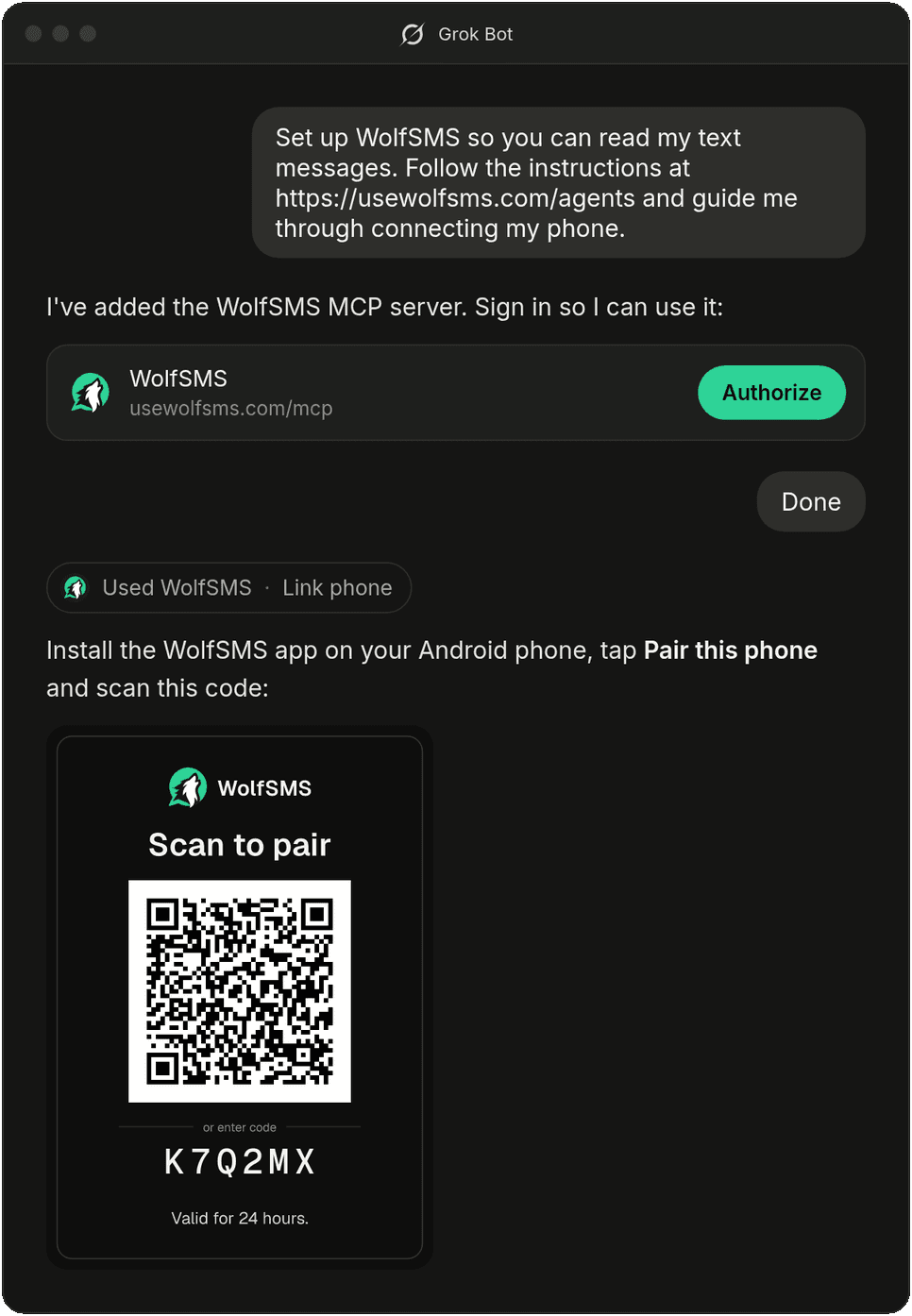
Install the app, tap Pair this phone and scan the code (or type it in). Then allow SMS access.
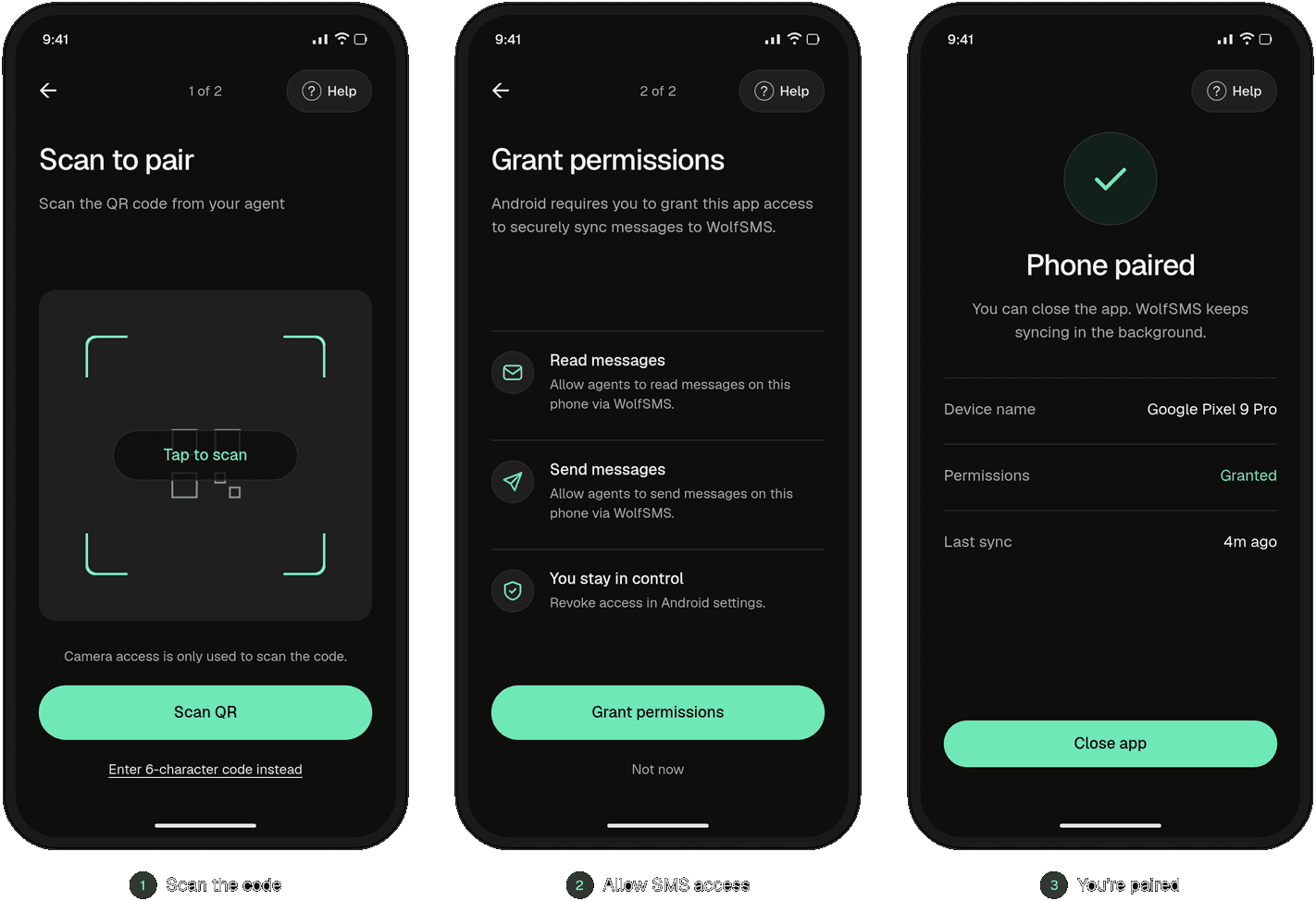
That's it. You can close the app; it keeps syncing in the background.
3. All done!
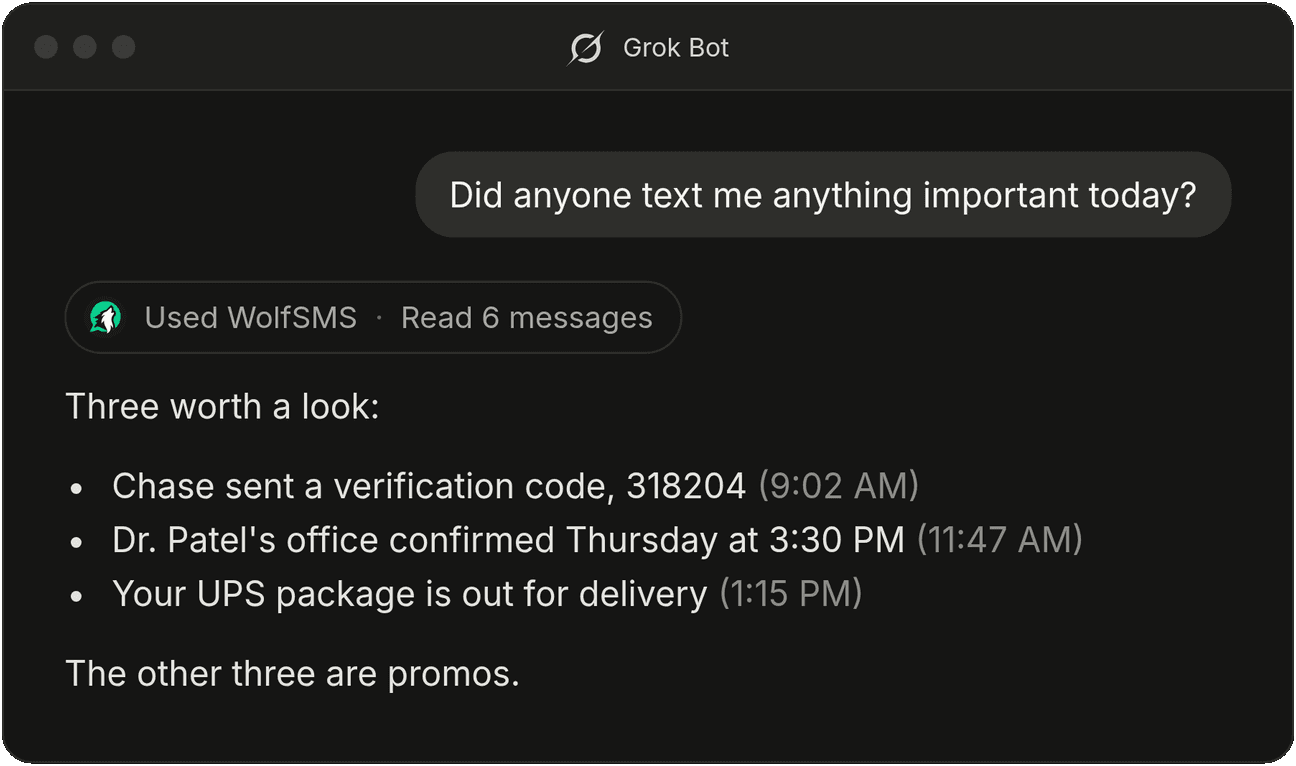
You can now ask Grok Bot questions about your texts:
- "What's the code Chase just sent me?"
- "Did anyone text me anything important today?"
- "When is my dentist appointment? They texted me about it."
This pairing process usually takes less than a minute.
Get started today
Setup takes under a minute. WolfSMS is free for lightweight personal use limited to a single device.
Get started with WolfSMS →